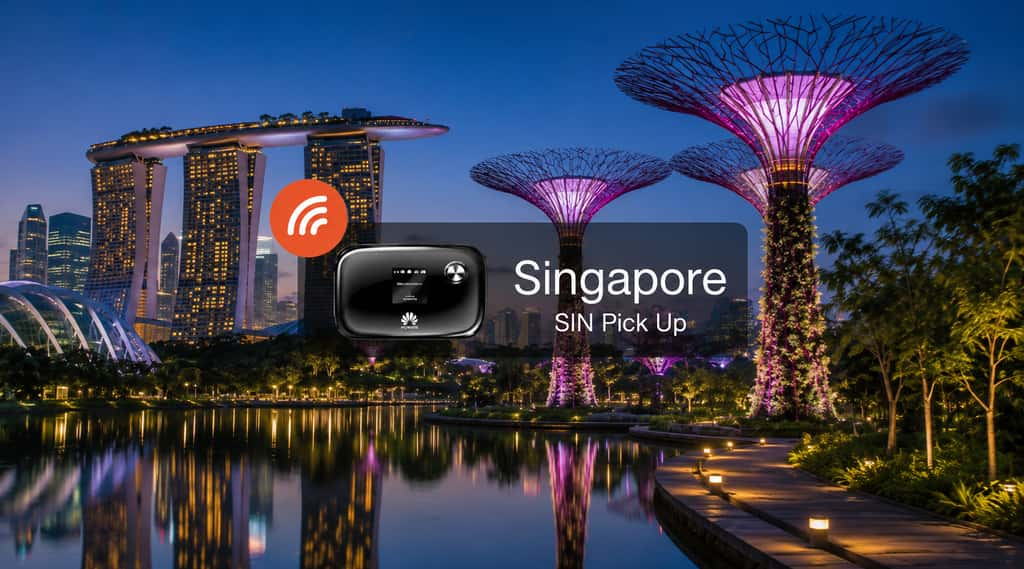
The best Singapore pocket WiFi for most travellers who specifically want a portable router is ChangiWiFi by Changi Recommends. You can collect and return it directly at Singapore Changi Airport, it supports multiple devices, and the current direct price is S$10 per day, about US$7.83.
However, a pocket WiFi is no longer the best-value internet option for most solo travellers, couples or even many families. A current M1 Tourist SIM costs only S$14, about US$11, for 30 days and includes 600GB plus calls and roaming.
Best for most travellers: Buy a tourist SIM or eSIM unless you specifically need one WiFi router for several phones, tablets or laptops. If you do want pocket WiFi, choose ChangiWiFi for airport pickup or YooWiFi for Singapore delivery.
Quick Answer: Best Singapore Pocket WiFi in 2026
| Pocket WiFi | Current price | Pickup / delivery | Devices | Best for |
|---|---|---|---|---|
| ChangiWiFi | about US$7.83/day (S$10) | Changi Airport | Up to 5 | Best overall |
| YooWiFi | from about US$0.70/day | Singapore delivery | Up to 5 | Cheapest delivery |
| BIG SKY Travel WiFi | from about US$4.15/day | Manila | Up to 5 | Philippines departures |
| Smile WiFi | around US$4.65/day | Thailand | Up to 5 | Thailand departures |
| Wi-Ho! | Dynamic | Taiwan airports / delivery | Up to 10 | Taiwan departures |
| RoamingMan | around US$8.15/day | KLIA | Up to 5 | Malaysia + Singapore |
Prices and availability can change by booking date, pickup country and package. USD conversions from Singapore-dollar prices are approximate and exchange rates can change.
1. ChangiWiFi — Best Singapore Pocket WiFi Overall
Choose ChangiWiFi if you want the simplest portable router after landing in Singapore.
Changi Recommends currently rents its Singapore router for S$10 per calendar day, about US$7.83. The current Singapore-specific product page states that it provides:
- 4G connectivity
- 10GB of high-speed data per day
- Up to 5 connected devices
- Singapore-wide coverage
- Airport collection and return
- 24/7 customer support
Changi Airport WiFi rental: can you pick up and return at the airport?
Yes.
This is the biggest correction to older Singapore Pocket WiFi guides.
Changi Recommends currently offers walk-in rental and pre-booked collection at Arrival Hall counters in Terminals 1, 2, 3 and 4. Several counters operate 24 hours.
You therefore do not need to arrange hotel delivery solely because you think Singapore Airport no longer has Pocket WiFi.
Important: it is not safely described as “unlimited”
There is conflicting information even on Changi Recommends' own site.
Its general travel-data page describes ChangiWiFi as offering unlimited data, but the current dedicated Singapore WiFi Router page states 10GB of high-speed data per day and says the connection is automatically deactivated once the daily limit is exceeded.
For that reason, travellers should use 10GB/day as the safer current specification when booking the direct Singapore product.
The key lesson: check the exact package you are buying. Do not assume every ChangiWiFi channel has identical data limits or hardware.
Deposit and loss charges
The direct ChangiWiFi product currently requires a S$50 credit-card authorization hold, about US$39, when you collect the router. Changi says the hold may take 14 working days or, depending on the issuing bank, as long as 30 days to disappear.
The current listed replacement charge for a lost or damaged router is S$300, about US$235. Accessories are charged separately.
Is it worth it?
Yes for a group sharing several devices over a short trip. No for most solo travellers.
The main advantages are airport pickup, no SIM swapping and easy multi-device sharing.
The main disadvantages are daily rental charges, battery management, a refundable card hold and the need to return the device.
2. YooWiFi — Best Cheap Pocket WiFi With Singapore Delivery
Choose YooWiFi if price matters more than airport collection.
KKday currently lists YooWiFi's Singapore 4G portable router from approximately US$0.70 per day. The product is advertised with:
- 4G/LTE
- Unlimited data
- Up to 5 devices
- Approximately 12 hours of battery life
- No deposit
- Delivery in Singapore
That headline rental price is dramatically cheaper than ChangiWiFi.
The catch: delivery logistics
The device is delivered to a Singapore address rather than collected immediately after immigration. KKday says delivery takes place within three working days before the scheduled travel/start date, with deliveries from Monday to Saturday between 10am and 10pm.
This means you should confirm that your hotel or accommodation:
- Accepts packages for guests.
- Will store the router before check-in.
- Has your reservation name exactly as provided to the courier.
If your accommodation will not accept deliveries, ChangiWiFi is the safer choice.
What does “unlimited” mean?
KKday currently labels this YooWiFi product unlimited, but the product information surfaced for this update does not provide a detailed high-speed Fair Usage Policy threshold.
That means we would not interpret “unlimited” as a guarantee of unlimited full-speed streaming without restriction.
Heavy users should confirm the current FUP before booking.
Return policy
The router must be placed in the supplied prepaid return mailer and returned via SingPost within seven days after the rental period. KKday currently lists a S$200, about US$157, charge for failure to return the device under its stated conditions.
The current listing allows free cancellation at least five days before the selected date.
Verdict: Excellent headline value if your hotel can reliably receive the device, but airport pickup is less risky for a short trip.
3. BIG SKY Travel WiFi — Best for Travellers Departing From the Philippines
Choose BIG SKY if you are starting your trip in Manila and want the router before flying to Singapore.
Klook currently lists BIG SKY Travel WiFi for Asian destinations including Singapore, with current options around US$4.15 per day for Manila airport pickup.
The current product specifications include:
- 4G
- Up to 5 connected devices
- Approximately 10 hours of battery
- Singapore plus multiple Asian destinations
- Different daily data options, including unlimited variants
This is more useful for travellers combining Singapore with several Asian destinations than for someone flying directly into Singapore from elsewhere.
Why choose it?
You can land in Singapore already connected instead of spending time collecting a device after immigration.
The catch
Rental days are charged inclusively, and data limits depend on the exact package selected. Klook currently lists both capped and unlimited variants.
Verdict: A good Philippines-specific option, but not a universal recommendation for Singapore visitors.
4. Smile WiFi — Best for Travellers Departing From Thailand
Smile WiFi remains a practical option if Singapore is one stop on a trip beginning in Thailand.
Klook currently lists its worldwide 4G portable WiFi from around US$4.65 per day, with:
- Up to 5 devices
- Approximately 8 hours of battery
- Airport pickup in Thailand
- Coverage determined by the selected destination package
The main catch
The eight-hour stated battery life is relatively short for a full sightseeing day.
If you intend to leave your hotel in the morning and return late at night, carry a power bank and charging cable.
Also check that the selected package explicitly includes Singapore rather than relying on the product's “worldwide” label.
Verdict: Worth considering for Thailand-based travellers. Otherwise, collecting ChangiWiFi after arrival is simpler.
5. Wi-Ho! — Best for Travellers Departing From Taiwan
Wi-Ho! is one of the stronger multi-device options for Taiwan-based travellers.
Its current Klook Singapore product supports:
- 4G in Singapore
- Up to 10 devices
- Maximum download speeds listed at 150Mbps
- Airport collection in Taiwan
- Home delivery options
- Roughly 10 hours of battery life
Pickup is available through supported locations at Taoyuan, Songshan and Kaohsiung airports.
Is the data really unlimited?
Klook describes the plan as unlimited, but it also explicitly includes a Fair Usage Policy allowing the telecommunications provider to limit data usage when unusually large amounts of data are consumed over a short period.
Therefore:
Unlimited does not guarantee unlimited full-speed data.
Booking deadline
The current listing asks travellers to reserve several days ahead: generally at least four days for Taoyuan/Songshan collection and six days for selected delivery or Kaohsiung options.
Verdict: One of the better options for large groups departing Taiwan because it supports more devices than most competitors.
6. RoamingMan — Best for a Malaysia + Singapore Trip
Choose RoamingMan mainly if your trip begins in Kuala Lumpur and covers both Malaysia and Singapore.
Klook currently lists a Singapore + Malaysia 4G router at around US$8.15, with:
- KLIA Terminal 1 or 2 pickup
- Up to 5 devices
- Approximately 15 hours of battery
- Singapore and Malaysia coverage
- Fixed 7- or 15-day rental options
The battery life is one of its strongest advantages.
The main catch
The current Klook page is internally confusing: the marketing copy mentions “Data Unlimited,” while the package selector displays options such as 10GB, 15GB, 20GB and 30GB.
Do not book based only on the word “unlimited.”
Check the exact data allowance shown in your final package before payment.
It is also considerably less attractive for a Singapore-only holiday because you need to collect it in Malaysia.
Verdict: Good for a Malaysia–Singapore itinerary, not the best general Singapore Pocket WiFi.
Singapore Pocket WiFi vs Tourist SIM: Which Is Cheaper?
For most travellers in 2026, the tourist SIM now wins.
M1 currently sells a 30-day Tourist SIM with 600GB for S$14, about US$11.
Compare that with ChangiWiFi at S$10 per day.
| Travellers | M1 SIMs | ChangiWiFi | Which is cheaper? |
|---|---|---|---|
| 1 person | S$14 total | S$10/day | SIM from day 2 |
| 2 people | S$28 total | S$10/day | SIMs from day 3 |
| 3 people | S$42 total | S$10/day | SIMs from day 5 |
| 3 people, 7 days | S$42 | S$70 | SIMs save S$28 |
This comparison is particularly important because older advice often assumes:
“Three people = Pocket WiFi is automatically cheaper.”
That is no longer true.
Three separate M1 Tourist SIMs currently cost S$42, about US$33, while seven days of ChangiWiFi costs S$70, about US$55.
The SIMs also let group members separate without losing internet access.
Pocket WiFi vs SIM vs eSIM
Choose Pocket WiFi if:
- You have several WiFi-only devices.
- Your phone is carrier-locked.
- Your group will stay together.
- You do not want to change SIM settings.
- You need to connect phones, tablets and laptops to one router.
Choose a physical SIM if:
- You need a Singapore phone number.
- You want local calls or SMS.
- You are staying more than a few days.
- You want independent internet when your group separates.
- Your phone does not support eSIM.
Current Singapore tourist SIMs can cost as little as S$12–S$15 while providing hundreds of gigabytes of data. StarHub currently starts its Tourist Plans at S$12, while M1's 500GB plans cost S$12 (all-in-one) or S$13 (data-only).
Choose an eSIM if:
- Your phone is unlocked and eSIM-compatible.
- You mainly need mobile data.
- You want to be connected without collecting anything.
- You do not want to carry and recharge another device.
For most solo travellers, eSIM is the easiest option.
Is Pocket WiFi Better for Families?
Only if the family stays together most of the time.
A Pocket WiFi creates one shared connection. If one parent takes the router to Gardens by the Bay while another person goes shopping on Orchard Road, only one group keeps the connection.
Separate SIMs or eSIMs avoid this problem.
A Pocket WiFi is more useful when:
- Children use WiFi-only tablets.
- Several laptops need internet.
- Everyone follows the same itinerary.
- You are travelling for only a few days.
How Much Pocket WiFi Data Do You Need?
For normal sightseeing, 10GB per day is already a very large allowance.
Google Maps, Grab, WhatsApp, attraction bookings and ordinary social media browsing generally use far less data than constant HD or 4K video streaming.
The people most likely to hit a daily allowance are those who:
- Stream large amounts of video.
- Upload large video files.
- Back up photos continuously.
- Work remotely with heavy cloud transfers.
- Connect several data-heavy users at once.
If your plan uses the word unlimited, always check for an FUP, throttling threshold or hard daily cap.
Changi Airport Pickup vs Hotel Delivery
Choose airport pickup when:
- Your flight arrives late.
- You need internet immediately after immigration.
- Your hotel will not receive parcels.
- Your trip is short.
- You want to return the router at the airport before departure.
ChangiWiFi currently has Arrival Hall collection across T1–T4, with several counters operating 24 hours.
Choose hotel delivery when:
- The rental is substantially cheaper.
- Your hotel has confirmed it accepts guest deliveries.
- You are arriving during normal delivery/check-in conditions.
- You do not need the router immediately at the airport.
YooWiFi currently represents the most aggressive price difference between these two models.
Common Singapore Pocket WiFi Mistakes
1. Assuming there is no Pocket WiFi at Changi Airport
There is. Changi Recommends currently rents Singapore WiFi routers from T1–T4 Arrival Halls.
2. Believing every “unlimited” plan is unlimited full-speed data
Always read the FUP.
Wi-Ho explicitly reserves the right for network operators to restrict unusually heavy usage, while Changi's own Singapore product page currently specifies a daily high-speed allowance rather than unrestricted usage.
3. Forgetting the router battery
Current products range from roughly eight hours to around 15 hours of quoted battery life. Heavy usage and multiple connected devices can shorten this.
Carry a power bank on long sightseeing days.
4. Forgetting the return
Pocket WiFi is rented hardware.
With ChangiWiFi, failure to return or damage can lead to substantial replacement charges; YooWiFi also lists a S$200 non-return-related fee under its current conditions.
5. Assuming one router is always best for a group
If your group separates, anyone away from the router loses the connection.
Current low-cost Singapore Tourist SIMs have also made individual connections much more affordable.
6. Booking based only on the daily rental price
Check:
- Data cap or FUP
- Battery life
- Number of devices
- Pickup location
- Delivery timing
- Deposit
- Return procedure
- Late-return charges
- Loss/damage liability
A US$1/day router is not good value if the device fails to reach your hotel before you need it.
Final Verdict: Should You Rent Pocket WiFi in Singapore?
For most solo travellers and couples: no. Buy a SIM or eSIM instead.
Singapore's current Tourist SIM market is simply too competitive. A 30-day M1 plan with 600GB currently costs about US$11, while one day of ChangiWiFi is already about US$8.
For families or groups sharing several devices: Pocket WiFi can still make sense, particularly on a short trip where everyone stays together.
Best Pocket WiFi overall: ChangiWiFi, because T1–T4 airport pickup removes delivery uncertainty.
Best budget option: YooWiFi, if your accommodation can reliably accept the delivery.
Best for Philippines departures: BIG SKY.
Best for Thailand departures: Smile WiFi.
Best for Taiwan departures: Wi-Ho!.
Best for Malaysia + Singapore: RoamingMan.
FAQ
Can I rent Pocket WiFi at Singapore Changi Airport?
Yes. Changi Recommends currently offers Singapore router collection from Arrival Hall counters in Terminals 1, 2, 3 and 4. Several counters operate 24 hours.
How much is Pocket WiFi at Changi Airport?
The current direct ChangiWiFi rate is S$10 per day, approximately US$7.83.
Is Singapore Pocket WiFi unlimited?
Do not assume it is. Changi Recommends' current Singapore-specific product page states 10GB of high-speed data per day, while some other products marketed as unlimited are subject to FUP or package-specific restrictions.
How many devices can connect to Singapore Pocket WiFi?
Usually about five devices, although some products allow more. Current direct ChangiWiFi supports up to five, YooWiFi up to five and Wi-Ho up to ten.
Is Pocket WiFi cheaper than a Singapore SIM card?
Usually not for a trip of several days. M1 currently sells a 600GB 30-day Tourist SIM for S$14, while direct ChangiWiFi costs S$10 for each rental day.
Is Pocket WiFi worth it for three people?
It can be for a very short trip, but not automatically. Three S$14 M1 Tourist SIMs currently cost S$42 total, while five days of ChangiWiFi costs S$50 and seven days costs S$70.
Do I need a deposit for Singapore Pocket WiFi?
For direct ChangiWiFi, yes. The current authorization hold is S$50. YooWiFi's current KKday product states that no deposit is required.
Can my hotel receive my Pocket WiFi?
Possibly, but confirm with the hotel first. Singapore-delivery products such as YooWiFi rely on accommodation or address delivery, so the property's parcel policy matters.
What happens if I lose a ChangiWiFi router?
The current listed charge for the router is S$300, with additional charges possible for missing accessories.
Should I get a Singapore eSIM or Pocket WiFi?
Get an eSIM for most solo travel. Choose Pocket WiFi when several WiFi-only devices need to share one connection or your phone cannot use a local SIM/eSIM.
Written by

Former KLOOK Recommender System Expert
Built the systems that decided which products ranked first for users in KLOOK. That experience taught me that rankings just optimize clicks and conversions for OTA — not necessarily what truly fits each traveler. Today, I write evidence-based verdicts using my 4 year experience on product: whether they're worth it, who they suit, and when you're better off skipping them.